
VPN vs. Private Browsing: Two Tools That Do Very Different Things

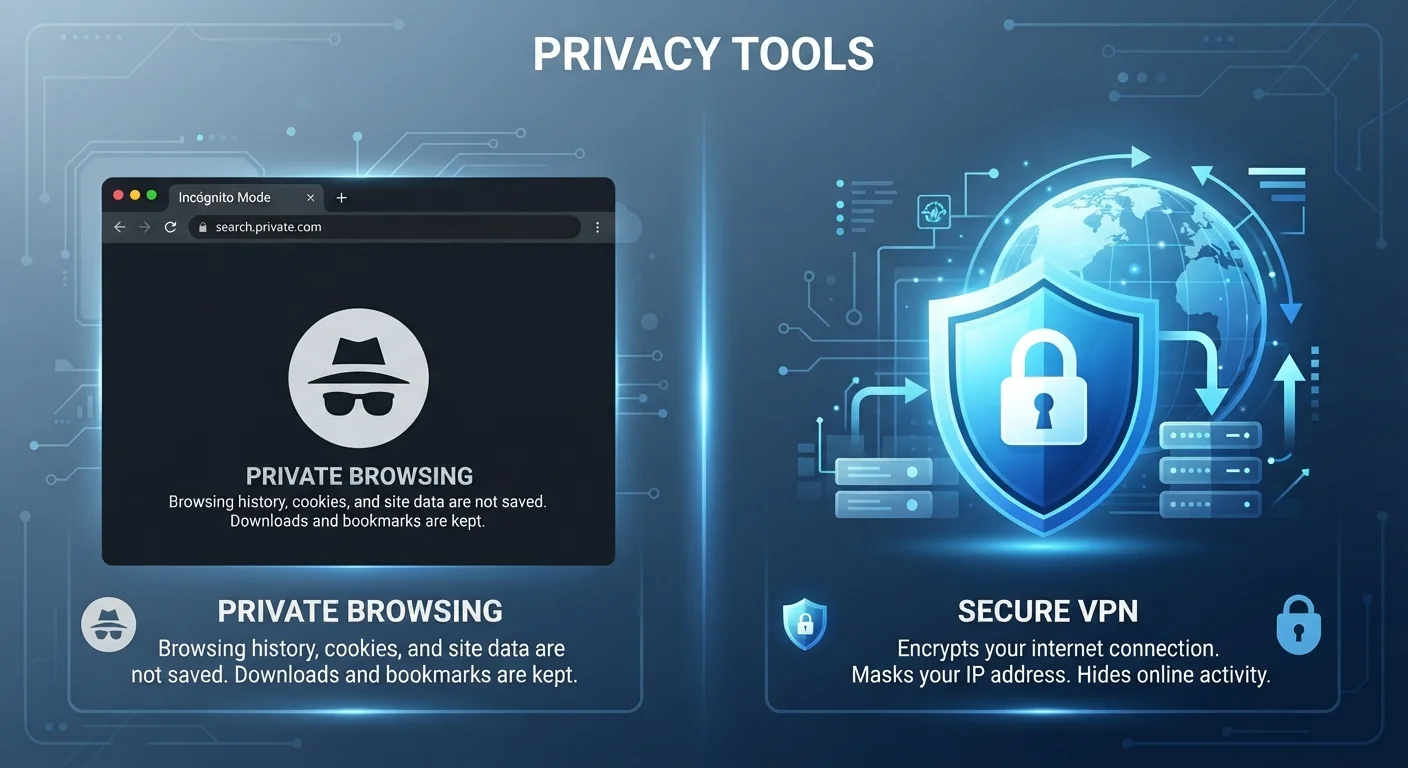
Photo: DockedReads.com | Information Made Easy editorial
Key Takeaways
- Private browsing only prevents your browser from storing history and cookies locally on your device.
- A VPN encrypts all internet traffic between your device and the VPN server, hiding it from network observers.
- Neither tool makes you completely anonymous online — both have meaningful limits.
- Your ISP and websites can still see your activity when using private browsing mode.
- A VPN does not clear cookies or prevent websites from tracking you with login credentials.
- Using both tools together addresses more privacy scenarios than either one alone.
What Each Tool Actually Does
The confusion between these two tools is understandable — both are marketed under the umbrella of online privacy. But they solve completely different problems at different layers of your digital life.
Private browsing (called Incognito in Chrome, Private Window in Firefox and Safari) is a feature built into your browser. When you open a private window, the browser stops recording your history, stops saving cookies after the session ends, and discards any form data you entered. That's it. Your activity still leaves your device, travels across your network, and reaches the websites you visit — none of that is hidden.
A VPN operates at the network level. It creates an encrypted tunnel between your device and a VPN server. All of your internet traffic — from every app, not just your browser — is routed through that tunnel. To your internet service provider (ISP) and to anyone observing the network you're on, your traffic looks like a single encrypted stream going to one destination: the VPN server.
| Criterion | VPN | Private Browsing |
|---|---|---|
| What it protects | Traffic in transit across the network | Session data stored locally on device |
| Hides activity from ISP | Yes | No |
| Hides IP from websites | Yes (shows VPN server IP) | No |
| Clears cookies after session | No | Yes |
| Covers all apps, not just browser | Yes | No |
| Prevents website login tracking | No | No |
| Setup required | App install and configuration | Built into every major browser |
For a fuller picture of what incognito mode can and cannot do, see our breakdown of incognito mode myths.
The Gaps Each One Leaves Open
Understanding what each tool doesn't protect against is just as important as knowing what it does.
Private browsing gaps
- Your ISP still sees every site you visit.
- Websites still see your IP address and can fingerprint your browser.
- If you log into an account, the website knows exactly who you are — session anonymity disappears the moment you authenticate.
- Network administrators (at workplaces, schools, or coffee shops) can still log DNS requests and destination addresses.
VPN gaps
- A VPN does not clear cookies already on your device, so sites can still recognize you via stored identifiers.
- Logging into a website immediately identifies you to that site regardless of VPN use.
- Your activity is visible to the VPN provider itself — you're shifting trust from your ISP to the VPN operator.
- A VPN does not stop malware, phishing sites, or trackers embedded in web pages.
No Tool Equals Full Anonymity
These gaps are precisely why neither tool qualifies as a complete privacy solution on its own. See our comprehensive privacy playbook for a layered approach that addresses more of these exposure points.
When Using Both Together Makes Sense
The two tools are not mutually exclusive. Opening a private browsing window while connected to a VPN addresses two separate risk categories simultaneously: the VPN encrypts traffic in transit and masks your IP from the destination site, while the private window ensures no history or cookies accumulate on your device after the session.
A practical scenario where this combination pays off: using a shared laptop at a library while connected to an open Wi-Fi network. The VPN protects your data from network-level observers; private browsing ensures the next user of that machine finds no trace of your session. Public Wi-Fi carries specific risks that a VPN is well-positioned to address — but without clearing local session data, your login cookies remain on the device.
~25%
Adults who use a VPN globally
A GlobalWebIndex survey found roughly one in four internet users worldwide reported using a VPN in a given month, though awareness of its actual function varies widely.
Layer 1 of many
Privacy tools needed for comprehensive protection
Security researchers consistently note that effective online privacy requires multiple complementary tools — no single feature handles all exposure points.
The key mental model: think of private browsing as cleaning up after yourself on the device, and a VPN as protecting your data while it's in motion across the network. Neither watches what websites do with your data once it arrives at their servers — that requires additional steps like using tracker-blocking extensions or adjusting your privacy settings within each service.
The content on this site is for informational purposes only and is not a substitute for professional advice. Always consult a qualified professional for guidance specific to your situation.