
Personal Data on the Internet: A Plain-Language Field Guide

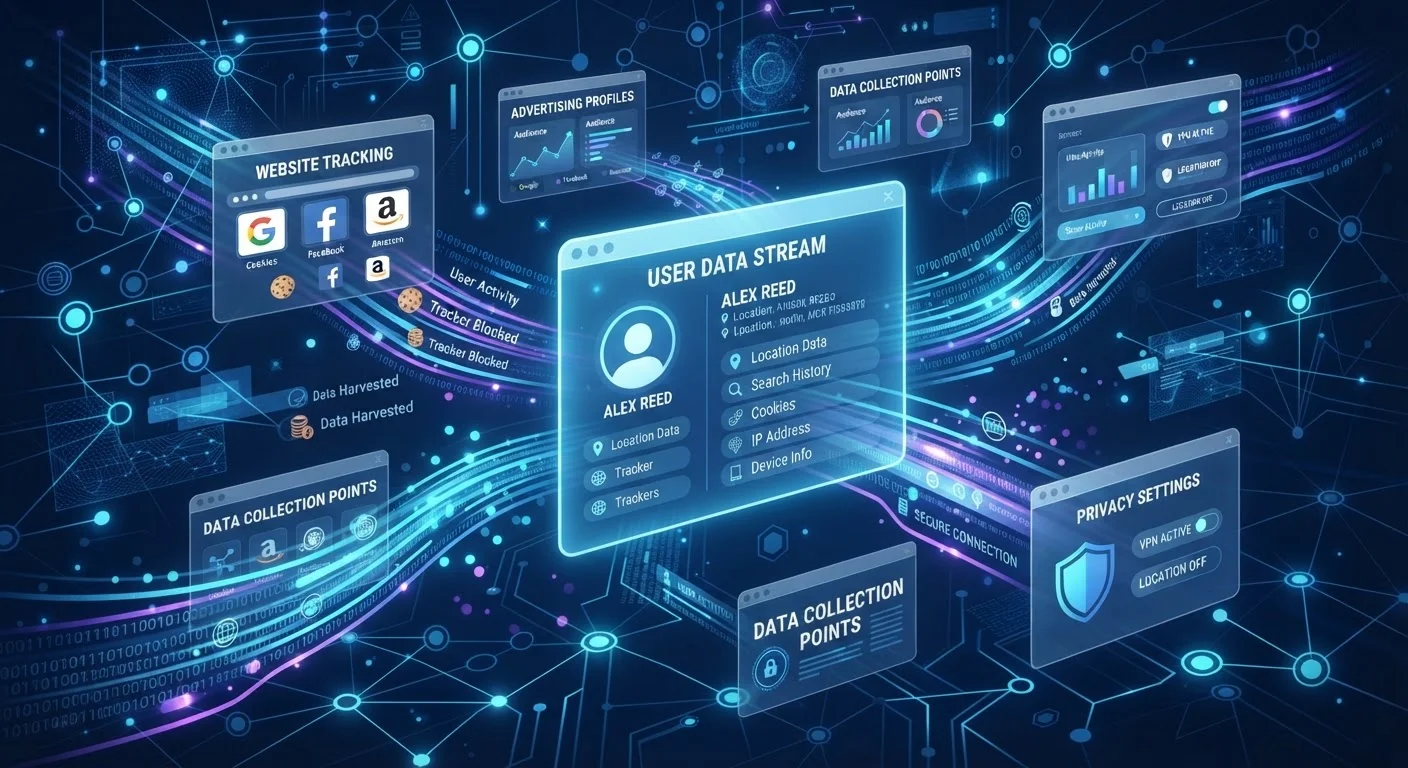
Photo: DockedReads.com | Information Made Easy editorial
Why This Vocabulary Matters
Every time you open a website, download an app, or connect to a service, data about you is generated, transmitted, and often stored. The challenge for most people isn't that privacy is impossible — it's that the terminology feels impenetrable. Words like fingerprinting, metadata, and tracker show up in news articles and settings menus without clear explanations.
This field guide defines the core terms in plain language so you can read a privacy policy, understand a browser setting, or follow a news story without needing a computer science degree. Think of it as a reference you can return to whenever a term stops you cold.
For a deeper look at how one specific mechanism works, see how browser cookies track you across the web. And if you want to put this knowledge into action, a comprehensive privacy playbook walks through practical steps for everyday users.
Cookie
A small text file a website places on your device to remember information about your visit. First-party cookies serve functional purposes; third-party cookies are typically used for cross-site advertising and tracking.
Metadata
Data that describes other data rather than containing content itself. An email's metadata includes sender, recipient, timestamp, and subject line — not the message body — but can still reveal a great deal about communication patterns.
Browser Fingerprinting
A tracking technique that assembles a unique profile from your device's characteristics — browser version, screen size, fonts, time zone — without storing any file. It persists even after clearing cookies.
IP Address
A numeric label assigned to any device connected to the internet that identifies it on a network. It is visible to every server you connect to and provides a rough geographic location.
Tracker
Any script, pixel, or code embedded in a webpage or app that records information about your behavior and transmits it to a third party, typically for advertising or analytics purposes.
Data Broker
A company that collects personal information from many sources — public records, purchase histories, social media, and other data — and sells compiled profiles to advertisers, employers, or other buyers.
Inferred Data
Information derived algorithmically from your behavior rather than provided directly by you. For example, your purchasing pattern might lead a platform to categorize you as a likely pet owner without you ever stating it.
Pixel (Tracking Pixel)
A tiny, often invisible image embedded in a webpage or email. When it loads, it notifies a third-party server that you viewed that content and typically transmits your IP address and timestamp.
Key Data Types You Generate Online
Not all personal data looks the same. Here is a breakdown of the main categories collected about you during ordinary internet use.
| What is PII? | Personally Identifiable Information — any data that can identify a specific individual, such as name, email address, Social Security number, or physical address. |
| What is metadata? | Descriptive data about other data: who sent a message, when, from where — rather than the content of the message itself. |
| What is a data broker? | A company that aggregates personal information from multiple sources and sells compiled profiles to third parties. |
| What is an opt-out? | A mechanism allowing you to decline certain data uses — such as targeted advertising — after data has already been collected by default. |
| What does 'encrypted' mean? | Data scrambled into an unreadable format so that only authorized parties with the correct key can access the original content. |
Behavioral and Inferred Data
Clickstream data is a log of every link you click and every page you visit during a browsing session. Advertisers and analytics companies use this to map your interests. Inferred data goes a step further: algorithms analyze your clickstream and purchase history to assign you to demographic or interest categories you never explicitly chose — categories like "likely parent" or "interested in home renovation" — that are then sold or used to target advertising.
Device and Network Identifiers
Your device broadcasts identifiers that help networks route traffic but also enable tracking. Your IP address is the numeric label assigned to your internet connection; it roughly indicates your location and is visible to every website you visit. Your internet service provider can see considerably more, including the domains you visit even when page content is encrypted.
Browser fingerprinting is a technique that combines publicly available signals — your screen resolution, installed fonts, browser version, time zone, and more — into a profile that can identify your device without placing any file on it. Because it requires no cookie, it persists even after you clear your browser history.
Incognito Mode Does Not Stop Fingerprinting
Trackers, Cookies, and Consent
The cookie consent banners that appear on most websites exist because of regulations requiring sites to disclose and, in many cases, obtain permission for certain types of data collection. Understanding the underlying tools helps you make those consent decisions meaningfully rather than reflexively clicking "Accept All."
First-party cookies are set by the site you are actually visiting and are generally used for functional purposes: keeping you logged in, remembering your shopping cart, or saving your language preference. Third-party cookies are set by external companies — advertising networks, analytics providers, or social media platforms — whose code runs on a page you visit, even though you never directly navigated to those companies. These enable cross-site tracking: the same ad network can observe your behavior across thousands of unrelated websites.
Pixels (sometimes called tracking pixels or web beacons) are tiny, often invisible images embedded in a webpage or email. When they load, they signal to a third-party server that you opened a message or visited a page, along with your IP address and timestamp. Many marketing emails use pixels to record whether recipients open them.
App permissions work similarly on mobile devices — location, contacts, and microphone access all create data flows that extend well beyond the app itself. Awareness of these mechanisms is also relevant when evaluating how cloud-stored files relate to your privacy.
The content on this site is for informational purposes only and is not a substitute for professional advice. Always consult a qualified professional for guidance specific to your situation.