
The Permissions Your Apps Request and What They're Actually Accessing

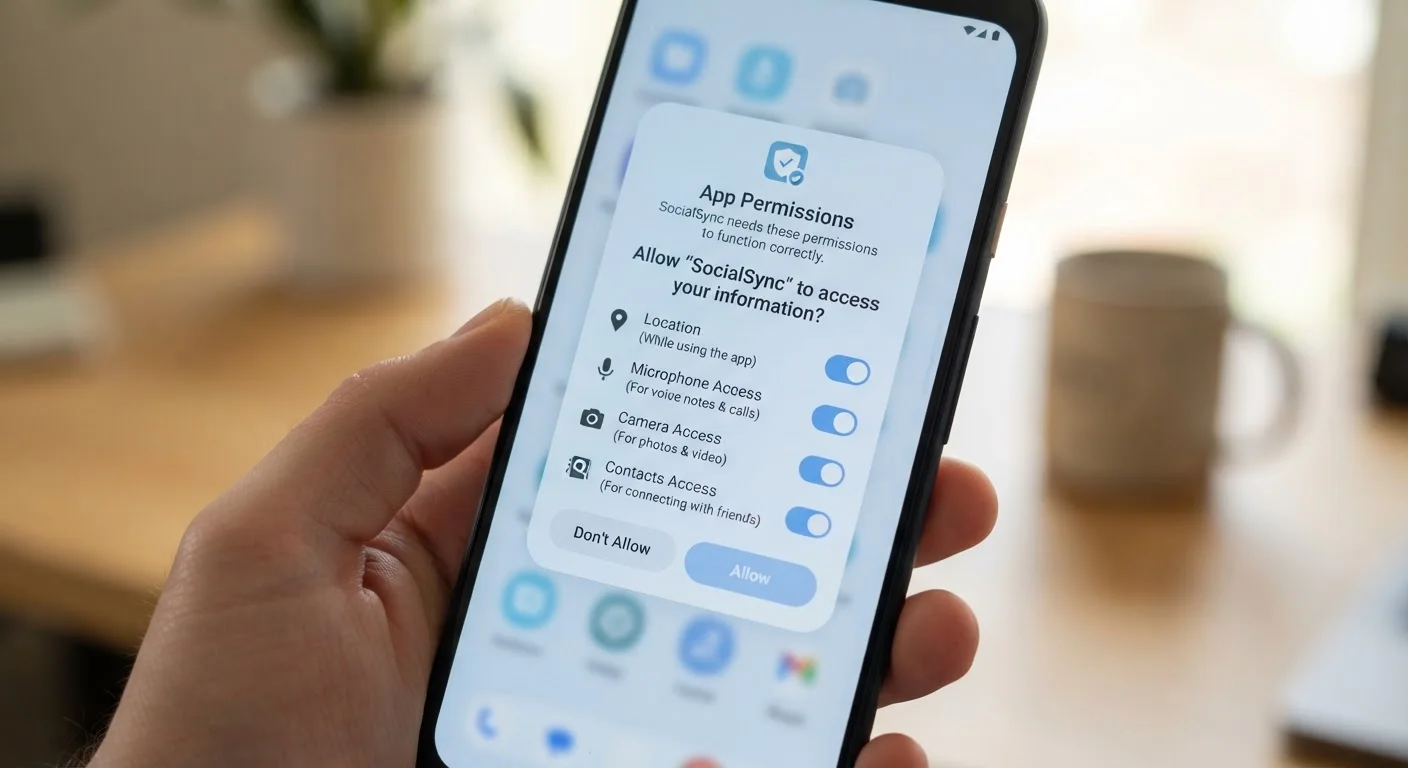
Photo: DockedReads.com | Information Made Easy editorial
Why App Permissions Matter More Than You Think
When you install a new app, a small dialog box often pops up asking for access to your camera, location, or contacts. Most people tap "Allow" without a second thought. That decision, made in under a second, can determine what data the app collects, retains, and potentially shares with third parties.
Permissions aren't inherently dangerous — they exist so apps can function properly. A navigation app genuinely needs your location. A video calling app legitimately needs your camera and microphone. But some apps request permissions that go well beyond their core purpose, and understanding what each permission actually unlocks is the first step toward making informed choices.
For a broader look at how personal data moves around the internet, see our plain-language guide to personal data online.
| Most sensitive permissions | Precise location, microphone, camera, contacts |
| Platforms with permission dashboards | iOS (Privacy & Security settings) and Android (Privacy > Permission Manager) |
| Can you revoke permissions after granting them? | Yes — on both iOS and Android at any time via Settings |
| Location access levels | Precise, Approximate, While Using App, Always, Never |
| Bluetooth privacy risk | Can infer location without GPS via nearby device scanning |
A Plain-Language Breakdown of Common Permissions
Here is what the most frequently requested permissions actually allow an app to do:
- Location: Grants access to your device's GPS coordinates. "Precise" location pinpoints you within meters; "approximate" location gives a neighborhood-level position. Apps can request background location access, meaning they track you even when closed.
- Microphone: Allows the app to record audio in real time. This is required for voice calls, voice search, and audio recording features. Granting it to an app without a clear audio purpose warrants scrutiny.
- Camera: Enables the app to capture photos and video through your device's camera. Some apps use this only when you actively open a camera feature; others could access it more broadly depending on platform controls.
- Contacts: Exposes the names, phone numbers, and email addresses stored in your address book — not just your own, but everyone you know.
- Notifications: Lets the app send you alerts. While less sensitive than sensor access, excessive notifications are often used to drive engagement rather than inform you of anything meaningful.
- Storage / Files: Grants the ability to read or write files on your device, potentially including photos, documents, and downloads.
- Bluetooth: Allows the app to scan for and connect to nearby devices. In some cases, this can be used to infer your location even without GPS access.
Runtime permission
A permission requested by an app while it is actively running, rather than at install time. Modern Android and iOS both use runtime permissions so you can grant or deny access in context.
Background access
A permission level that allows an app to access a resource — most commonly location — even when the app is not open on your screen. Background access is significantly more privacy-sensitive than foreground-only access.
Precise location
GPS-level location data accurate to within a few meters. Distinct from approximate location, which typically reveals only a general area such as a neighborhood or city block.
Permission scope creep
When an app accumulates permissions over time beyond what its core function requires, often through updates that request additional access incrementally.
Privacy policy
A legal document that describes how an app or service collects, uses, stores, and shares your data. Permissions define what an app can technically access; the privacy policy defines what the developer intends to do with it.
If you use video calling apps, you can learn how camera and microphone permissions work in practice with our beginner's guide to video calling apps.
How to Review and Revoke Permissions on iOS and Android
Both major mobile platforms give you a permissions dashboard where you can see exactly which apps have access to which resources — and change that access at any time.
On iPhone (iOS)
- Open Settings and scroll to Privacy & Security.
- Tap any permission category (e.g., Location Services, Microphone, Contacts) to see a list of every app that has requested it and what level of access each app holds.
- Tap an app's name to change its access level or revoke it entirely.
On Android
- Open Settings, then go to Apps (or Application Manager, depending on your device).
- Select an individual app and tap Permissions to review its access.
- Alternatively, go to Settings > Privacy > Permission Manager to browse by permission type across all apps.
A useful habit: after installing any new app, revisit the permissions dashboard within a day or two rather than responding to prompts in the moment when you're less likely to think critically.
Permissions Can Change With App Updates
Keeping your apps updated also affects what permissions they can access — read more in our article on why software updates matter.
Questions to Ask Before Granting Any Permission
Use this quick mental checklist before tapping "Allow":
- Does the app's core function require this? A flashlight app has no legitimate need for your contacts or location.
- Can I use the app with less access? Many apps work with "approximate" location instead of precise GPS, or "only while using the app" instead of "always."
- What does the app's privacy policy say about data sharing? Permission grants are the technical door; the privacy policy is the legal one. If the policy is vague about third-party sharing, treat that as a warning sign.
- How sensitive is the data? Microphone, precise location, and contacts are among the most sensitive. Notifications and storage are generally lower risk.
If you later decide to remove an app, remember that revoking permissions and deleting the app are separate steps. Our checklist for protecting your data before deleting an app walks through what to do first.
For a comprehensive approach to your overall digital privacy, the Digital Life Privacy Playbook covers permissions alongside many other practical steps.
45%
Apps requesting more permissions than needed
Research from multiple mobile security audits has found that a significant portion of popular apps request permissions not directly required by their advertised function.
3 types
Location access tiers on modern smartphones
Both iOS and Android now offer precise, approximate, and background vs. foreground distinctions, giving users more granular control than earlier permission models allowed.
The content on this site is for informational purposes only and is not a substitute for professional advice. Always consult a qualified professional for guidance specific to your situation.