
The Hidden Drain: How Standby Power Works and Where It Goes

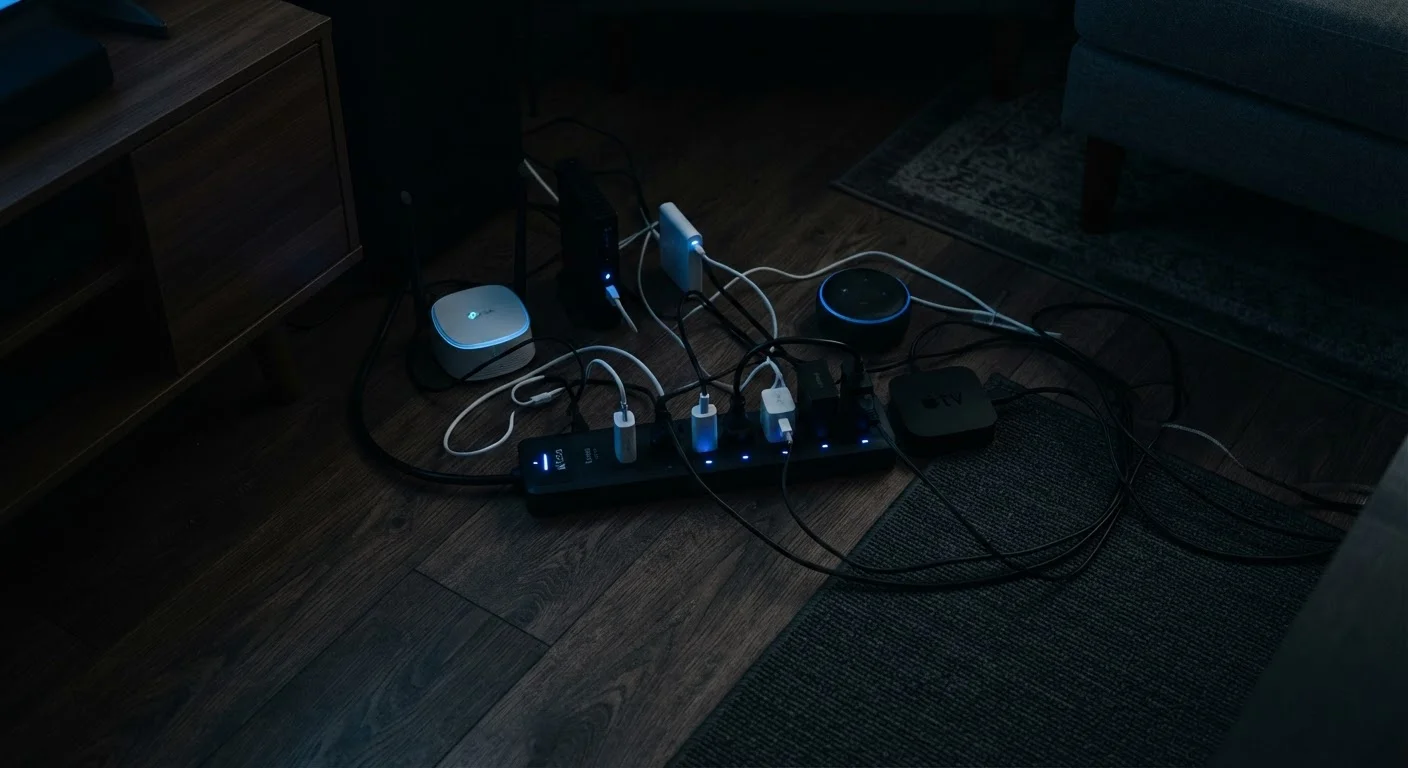
Photo: DockedReads.com | Information Made Easy editorial
Key Takeaways
- Plugged-in devices draw electricity even when switched off or in sleep mode.
- Televisions, gaming consoles, and cable boxes are among the largest standby consumers.
- Standby power can account for roughly 5–10% of a typical household's annual electricity use.
- Smart power strips and unplugging devices when not in use are the most straightforward ways to reduce phantom load.
- Newer devices increasingly meet low-standby standards, but older electronics tend to draw more idle power.
Why Devices Never Fully Switch Off
When you press the power button on a television or gaming console, you likely assume it stops consuming electricity. In most cases, it doesn't. Instead, the device enters a reduced-power state designed to make restart faster, keep a clock running, or listen for a remote-control signal. This is standby mode — and it requires a continuous electrical current, however small.
The underlying reason is convenience engineering. Manufacturers design devices to respond instantly: a TV that wakes up the moment you press a button, a smart speaker that's always listening, or a microwave displaying the time. Each of those features demands that some circuitry stays powered around the clock.
This is also relevant to how you manage your devices day-to-day. If you're interested in how continuous power affects battery components, our guide to rechargeable battery care covers the relationship between power habits and component health.
The Term "Phantom Load" Explained
Which Devices Draw the Most Standby Power
Not all phantom loads are equal. The amount of standby power a device draws depends on its complexity, age, and the features it maintains while idle.
- Cable and satellite boxes: Often cited as some of the worst offenders, set-top boxes can draw 15–30 watts continuously — nearly as much as when actively in use — because they often download programming guides and updates in the background.
- Gaming consoles: Older console generations, particularly those with "instant-on" features enabled, can draw 70–150 watts in that mode. Switching to a lower standby setting significantly reduces this.
- Televisions: Modern smart TVs draw 0.5–3 watts in standby, but older plasma and LCD models drew far more.
- Desktop computers and monitors: A desktop left in sleep mode typically draws 2–5 watts; a monitor in sleep adds another 1–2 watts.
- Microwave ovens: The clock display alone can account for 2–7 watts of continuous draw — in some households, this exceeds the energy used for actual cooking.
5–10%
Share of home electricity from standby power
The U.S. Department of Energy has estimated that standby power accounts for roughly 5–10% of residential electricity use in a typical American home.
~$100
Estimated annual standby cost per household
Lawrence Berkeley National Laboratory research has estimated that phantom loads can cost the average U.S. household approximately $100 per year, depending on device mix and local rates.
1 watt
International standby power target
The International Energy Agency's One Watt Initiative called for all new appliances to draw no more than 1 watt in standby mode — a benchmark that has influenced energy-efficiency standards worldwide.
Chargers and wall adapters are lower-profile contributors. A phone charger left plugged in with nothing connected draws under 0.5 watts, which is small in isolation but adds up across multiple adapters throughout a home.
How to Measure and Reduce Phantom Load
The most reliable way to understand your own household's standby draw is to use a plug-in energy monitor — a small device that sits between a plug and the outlet and displays real-time wattage. These meters make the invisible visible, and you can test each device in standby to see exactly what it's consuming.
Once you've identified the biggest draws, there are practical ways to reduce them:
- Use a smart or switchable power strip. These cut power to a whole cluster of devices — say, a TV, soundbar, and console — with a single switch or automatically when a primary device turns off.
- Enable low-standby settings on consoles and computers. Gaming consoles in particular often ship with aggressive quick-resume features enabled; switching to a deeper sleep mode can cut standby draw dramatically.
- Unplug devices used infrequently. Seasonal items like guest room TVs or a secondary printer don't need to be on standby year-round.
- Replace aging equipment. Older devices predate efficiency standards and can draw many times more standby power than current models. Device age is also a factor in overall reliability, which our article on gadget longevity explores in detail.
Check Your Console's Power Settings
Putting Standby Power in Context
Understanding standby power isn't about anxiety over electricity — it's about informed decisions. A single device drawing 2 watts costs very little annually. But a home with 20 or 30 devices maintaining various standby states accumulates a meaningful and permanent baseline load that runs 24 hours a day, 365 days a year.
The concept also connects to broader questions about how you use and maintain your devices at home. For a wider look at operating gadgets responsibly indoors, see our comprehensive home gadget safety guide.
Standby power is one of those topics where small changes — flipping a power strip off at night, adjusting a console's power settings — require almost no effort but add up over time. The first step is simply knowing the drain is there.
“Standby power is one of the most cost-effective areas for energy efficiency improvement, because the technology to reduce it exists, it's inexpensive, and the savings are permanent for the life of the product.”
— Alan Meier, Senior Scientist, Lawrence Berkeley National Laboratory, long-time researcher on standby power consumption
Frequently Asked Questions
The content on this site is for informational purposes only and is not a substitute for professional advice. Always consult a qualified professional for guidance specific to your situation.