
Note-Taking Apps Compared: Matching Features to How You Actually Think

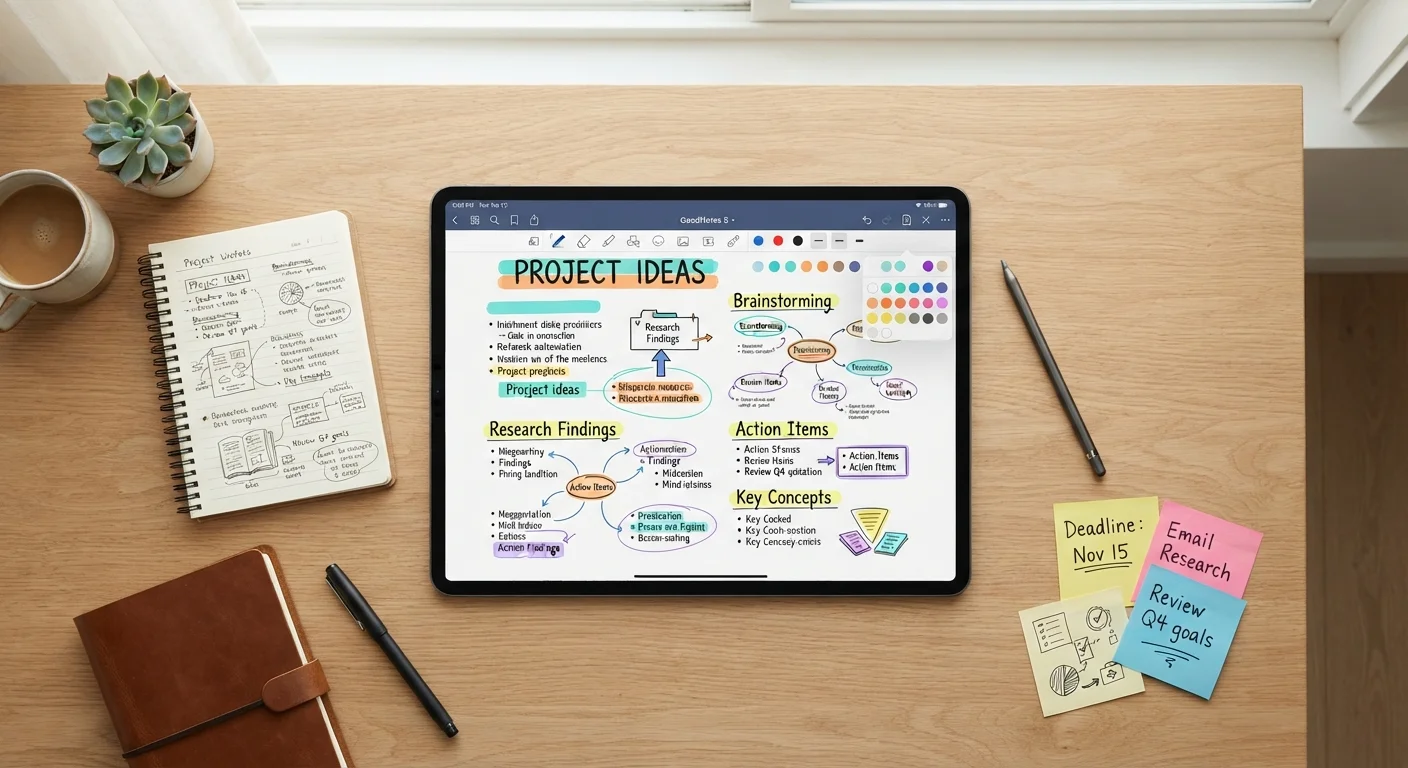
Photo: DockedReads.com | Information Made Easy editorial
Key Takeaways
- Note-taking apps generally fall into three categories: linear, linked, and visual — each suits a different thinking style.
- Linear apps work best for people who think sequentially and prefer clear folder hierarchies.
- Linked (networked) apps suit associative thinkers who connect ideas across topics and time.
- Visual or canvas-based apps help spatial thinkers who need to see relationships between ideas at a glance.
- The best app is the one you'll actually use consistently — complexity you don't need becomes friction.
Why the App You Choose Should Match Your Thinking Style
Most note-taking guides focus on features: syncing, formatting options, integrations. But the more fundamental question is structural — does the app's underlying organization model match the way your mind actually works?
When there's a mismatch, notes pile up unread, search becomes a chore, and the system collapses under its own weight. When there's alignment, the app feels like a natural extension of your thought process rather than an obstacle to it. Understanding the three dominant structural approaches — linear, linked, and visual — makes it far easier to pick one and stick with it.
If you find yourself drowning in multiple tools rather than thriving, it's worth reading about the signs of productivity app overload before adding another app to your stack.
Linear Apps: Structure for Sequential Thinkers
Linear note-taking apps organize content into notebooks, folders, and pages — much like a physical binder. Notes live in one place, arranged by category or date. Searching and tagging supplement the hierarchy, but the core metaphor is the filing cabinet.
Who thrives here: Sequential thinkers who plan step-by-step, prefer clearly labeled containers, and find comfort in knowing exactly where everything lives. Students, project managers, and anyone who already organizes physical papers into folders tend to adapt quickly.
Trade-offs: A strict hierarchy can feel limiting when an idea belongs in multiple categories. Cross-referencing between notebooks is usually possible but rarely elegant. Over time, deeply nested folder structures can become hard to navigate.
Start with a Small, Real Project
Linear apps also pair naturally with journaling habits. If you're using notes for emotional processing or daily reflection, our guide to journaling for mental clarity covers evidence-informed styles that complement this structure.
Linked (Networked) Apps: For Associative, Web-Like Thinking
Linked note-taking apps — sometimes called networked thought tools — treat every note as a node that can connect bidirectionally to any other note. Instead of a folder, you get a web. When you reference one idea inside another, both notes record that connection automatically.
Who thrives here: People who think in associations rather than categories — writers, researchers, and anyone who frequently notices that an idea from one area of life illuminates another. If you find yourself scribbling arrows and margin notes connecting disparate topics, this model may suit you.
Trade-offs: The lack of enforced structure can be disorienting at first. Without some intentional habits, a networked system can sprawl into an impenetrable web of loosely connected fragments. The learning curve is steeper than linear apps, and the payoff often takes weeks or months to become visible.
| Linear Apps | Linked (Networked) Apps | Visual/Canvas Apps | |
|---|---|---|---|
| Core metaphor | Filing cabinet / notebook | Web of connected nodes | Infinite whiteboard |
| Best thinking style | Sequential, categorical | Associative, cross-referential | Spatial, big-picture |
| Learning curve | Low — familiar structure | Moderate to high | Low to moderate |
| Retrieval ease | High — folders and tags | Moderate — links and backlinks | Lower — spatial memory required |
| Ideal use case | Project notes, class notes | Research, writing, knowledge base | Brainstorming, planning, mapping |
| Risk of system collapse | Folder sprawl over time | Unlinked orphan notes | Cluttered, hard-to-search canvas |
Visual and Canvas Apps: Space for Spatial Thinkers
Canvas-based apps provide an infinite two-dimensional workspace where notes, images, and connections can be arranged freely — closer to a whiteboard than a notebook. Relationships between ideas are shown spatially rather than described in text.
Who thrives here: Spatial or visual thinkers who sketch mind maps by hand, prefer seeing the whole picture before diving into detail, and find outlines sterile and restrictive. These apps can be particularly effective for brainstorming, planning projects, or mapping complex systems.
Trade-offs: Open canvases can be harder to search or retrieve information from later. They tend to shine during the creative or planning phase and may need to feed into a more structured system for long-term reference. They can also be resource-intensive on older devices.
Whichever approach you choose, preventing digital clutter is key to sustaining any system. See our practical advice on keeping your software organized to build habits that keep your notes useful over time.
Making the Right Choice — and Committing to It
Before choosing, spend five minutes answering these questions honestly:
- When you explain a new idea, do you tend to list steps, draw diagrams, or describe connections between concepts?
- Do you prefer knowing exactly where something is filed, or do you trust search and links to surface what you need?
- How much time are you willing to spend on the system itself versus the work it supports?
Your answers will typically point clearly toward one of the three models. From there, try a single app for at least three weeks before evaluating — systems that feel awkward on day one often click once you've built a meaningful body of notes inside them.
It's also worth comparing this decision to other tool-choice moments. Just as choosing between a paper ledger, spreadsheet, or budgeting app comes down to personal habit rather than objective superiority, note-taking works the same way. Complexity you don't need is friction — and friction kills consistency.
~26 min
Average time lost to information search daily
Research from IDC has suggested knowledge workers spend significant time each day searching for information they've already encountered, underscoring why retrieval ease matters in any note system.
3–4 weeks
Typical habit formation window for new tools
Behavioral research generally places the window for a new digital habit to stabilize at three to four weeks of consistent, intentional use.
The content on this site is for informational purposes only and is not a substitute for professional advice. Always consult a qualified professional for guidance specific to your situation.